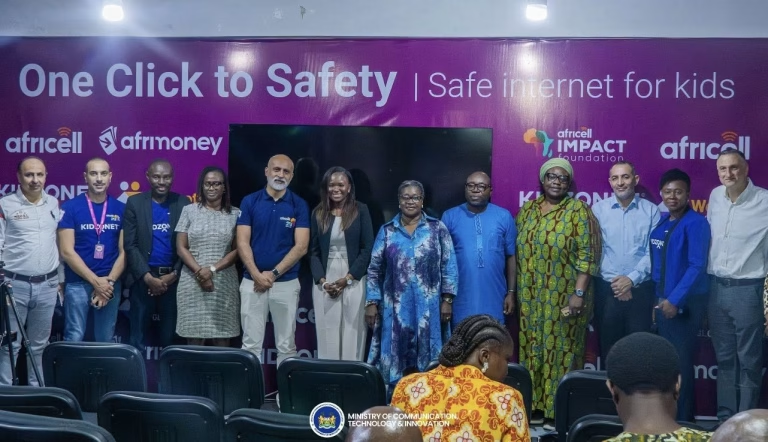
Today saw the official launch of Kidzonet, Africa’s first SIM-based child online protection service, at the Africell E-Learning Hub in Freetown. Leaders from government, regulation, and industry came together to engage a challenge that is becoming part of everyday family life in the digital age. The event was attended by the Minister of Communication, Technology and Innovation, the Deputy Minister of Gender and Children’s Affairs, the Deputy Director General of the National Telecommunications Authority (NaTCA), the Chief Executive Officer of Africell, and members of the fourth estate.

The service allows parents and guardians to manage their children’s access to social media and online content by dialing *499#, with controls applied directly at SIM level. Kidzonet filters and blocks content that is not suitable for children while leaving normal calls and SMS unaffected. It works only with an Africell SIM and does not operate over Wi-Fi. The service costs NLe9 and is valid for 30 days, making its use and cost clear to families.

Making her statement, the Minister spoke about the role of companies that choose to act rather than stay passive as digital risks grow. She explained that Africell recognised a real gap between access and protection and decided to respond, while encouraging other network providers to do the same. She cautioned that uncontrolled use of social media can affect both children and adults, and stressed that online safety is a responsibility shared by families, service providers, and government.

By turning responsibility into something parents can act on, Kidzonet gives families more control over how children experience the digital world. As Sierra Leone continues to expand digitally, the takeaway from the launch was straightforward: protecting children online cannot be treated as optional or postponed. It requires cooperation, consistency, and clear choices from everyone involved.
How to activate Kidzonet:
Simply dial *499# on your child’s Africell line and follow the menu/instructions below:
Step 1: Go to your child’s phone and dial *499#.
Step 2: From the menu, press 8 to select Kidzonet.
Step 3: Press 1 to proceed.
Step 4: Input your pin of choice to manage your services.
Step 5: Select 1 to activate the service.
Step 6: Choose your payment method.
Step 7: Select whether you’d like to pay with Airtime or Afrimoney and press 1 to confirm.
Step 8: You’ll also be asked to renew your subscription automatically. Choose the option that works best and press send.
Step 9: Kidzonet will be activated instantly.